

Little Snitch and ClamXAV
Little Snitch is a great tool to help you monitor and block the outgoing and incoming network connections on your Mac.
However, because Little Snitch has the capability to block network connections, it can often cause problems with the ClamXAV app, even if the “block network connections” function is not enabled.
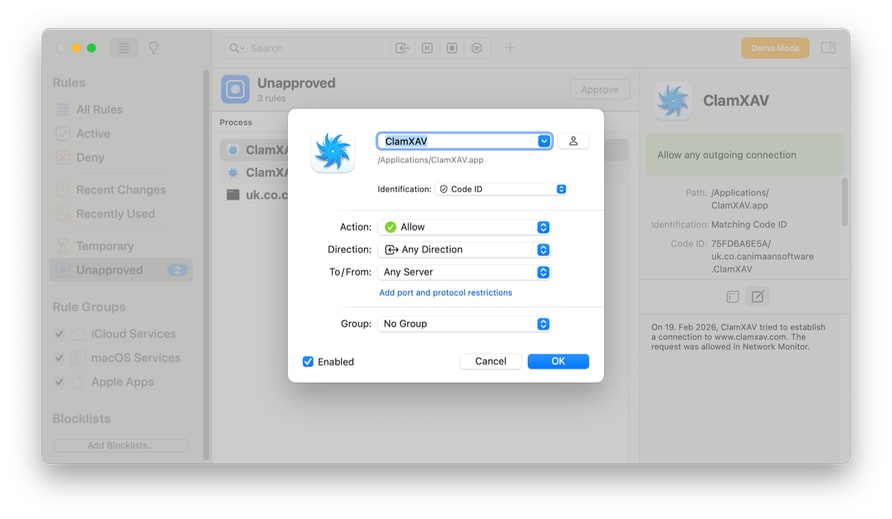
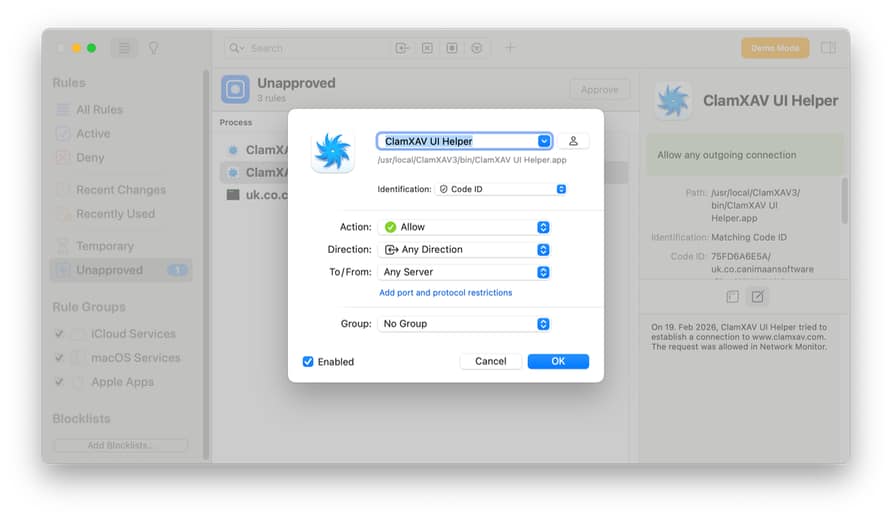
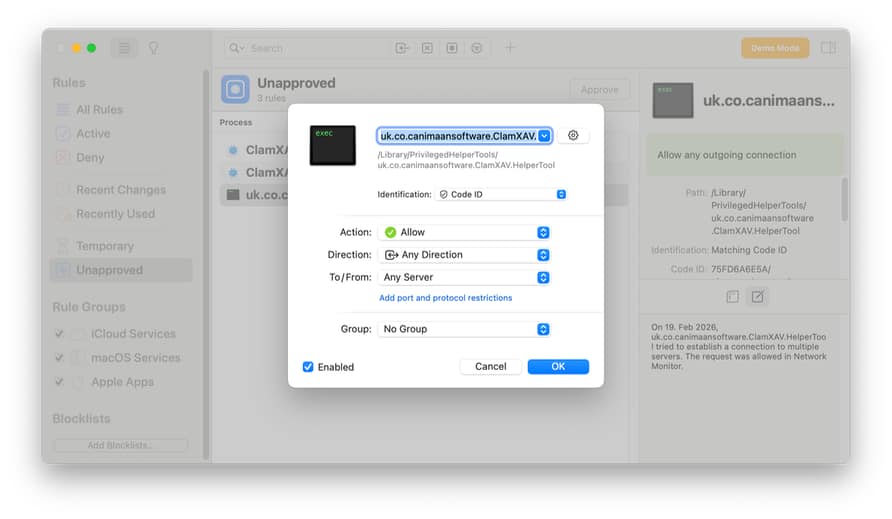
If you are using both ClamXAV and Little Snitch on your computer, and you’re having trouble downloading the malware database updates or registering your subscription on your computer, please make sure all three of the following files are allowed both incoming and outgoing connections in the Little Snitch Rules Editor:
/Applications/ClamXAV.app/Contents/MacOS/ClamXAV

/usr/local/ClamXAV3/bin/ClamXAV UI Helper.app/Contents/MacOS/ClamXAV UI Helper

/Library/PrivilegedHelperTools/uk.co.canimaansoftware.ClamXAV.HelperTool
You might assume that only adding ClamXAV.app is enough to allow ClamXAV to function properly, however, it’s necessary to allow all three of the above items incoming and outgoing network access with Little Snitch, because each item handles a different part of ClamXAV’s internet connection.
Here, you can see how those three files show up in Little Snitch:
The ClamXAV App:
The ClamXAV UI Helper:
The ClamXAV Helper Tool:
By allowing these three files network access via Little Snitch (both incoming and outgoing), you will be able to use ClamXAV and Little Snitch at the same time, without any interference.